Spool
Years of .als files, one catalogue of songs.
Spool · for Ableton Live
Pay what you want
No account needed.
Every version of an idea gathered into one song, with its stage, key, tempo and reference render. Mood boards, releases and statistics.
Spool reads your projects and writes only when you ask: a copy next to the original for a repair, and moves you can undo if you choose to arrange your folders.
Hear about the next tools
One email when Fatstep releases a new tool, nothing else. Optional: the download does not need it.

A project that no longer opens, repaired on a copy
Samples moved, a plugin renamed after a reinstall or a move to VST3, a project from another computer: Spool shows why and writes a repaired copy next to the original, ready to open in Live.
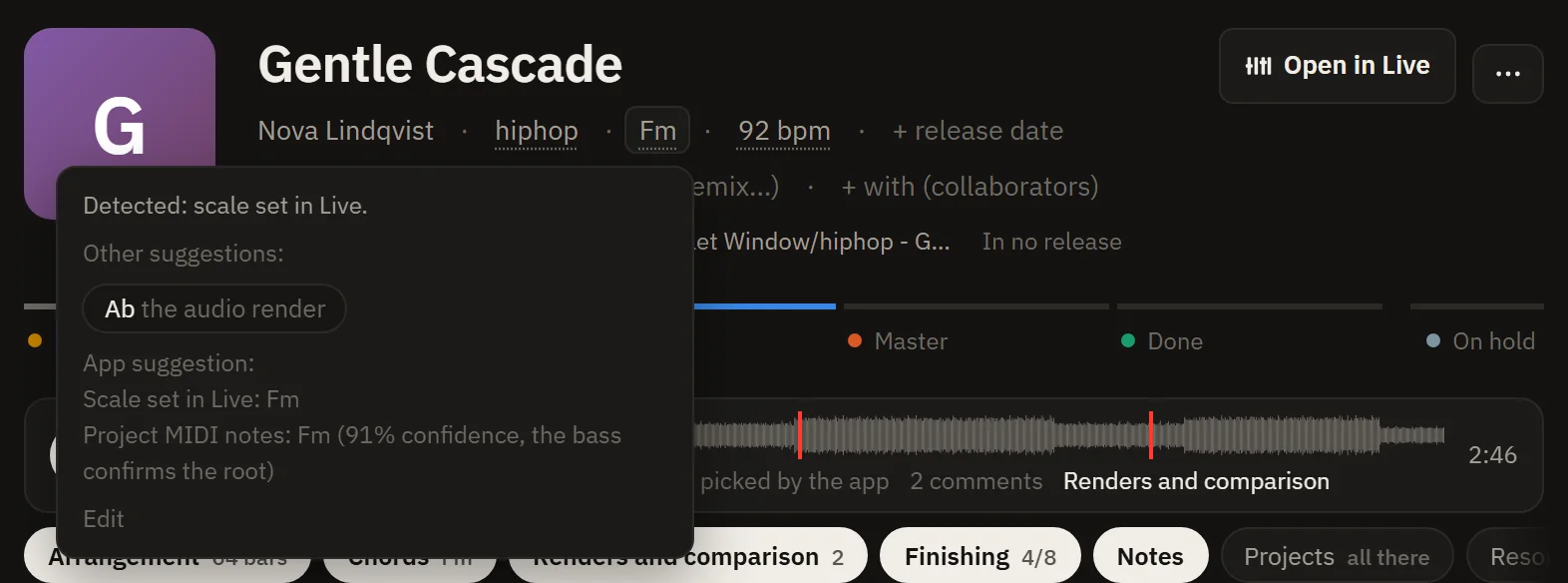
Tempo, key and style, found on their own
Read from the Live project, confirmed by the audio. Hover a value to see where it comes from and what else it could be.
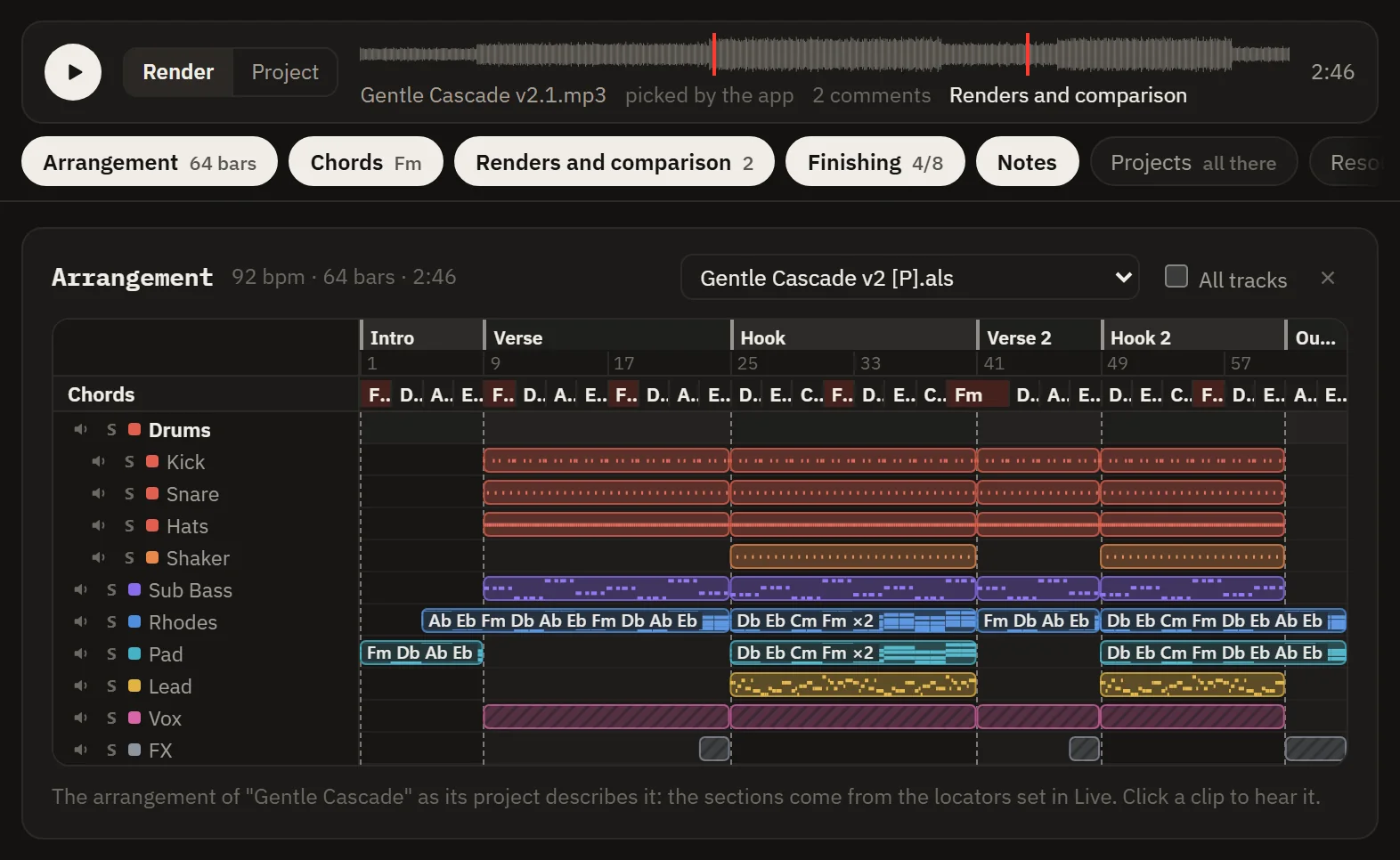
Hear a project without opening Live
Every track drawn with its clips, chords and sections, played with a sound close to its instrument, with mute and solo. Switch from the render to the project without losing the bar.

Your own MIDI and samples that fit
The progressions, basslines, melodies and loops of your other projects, in the song's key and at its tempo, heard over the render then dragged into Live.

The songs that sound like it
Spool listens to your renders and finds the ones that sound alike. Compare with a reference at the same loudness too, and see how much Spotify or Apple Music would turn it down.

Your song's chords
The chart by section, as Am, La m or degrees, a simple staff, and the progressions that go with it, to hear then drag into Live.
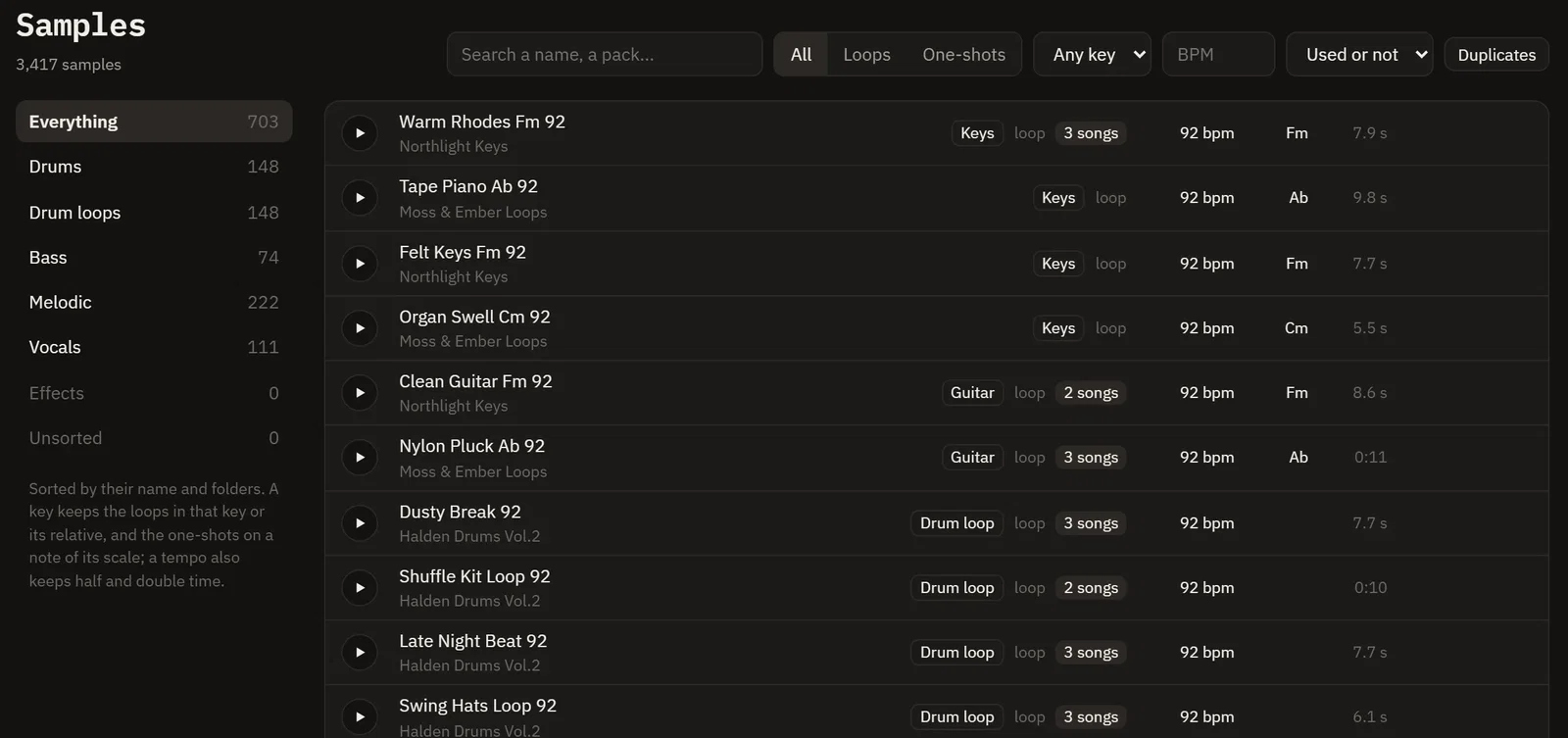
Every sample, and the songs that use it
By category, key and tempo, heard at your song's tempo without changing the key, with the songs that use them and the duplicates taking up space.
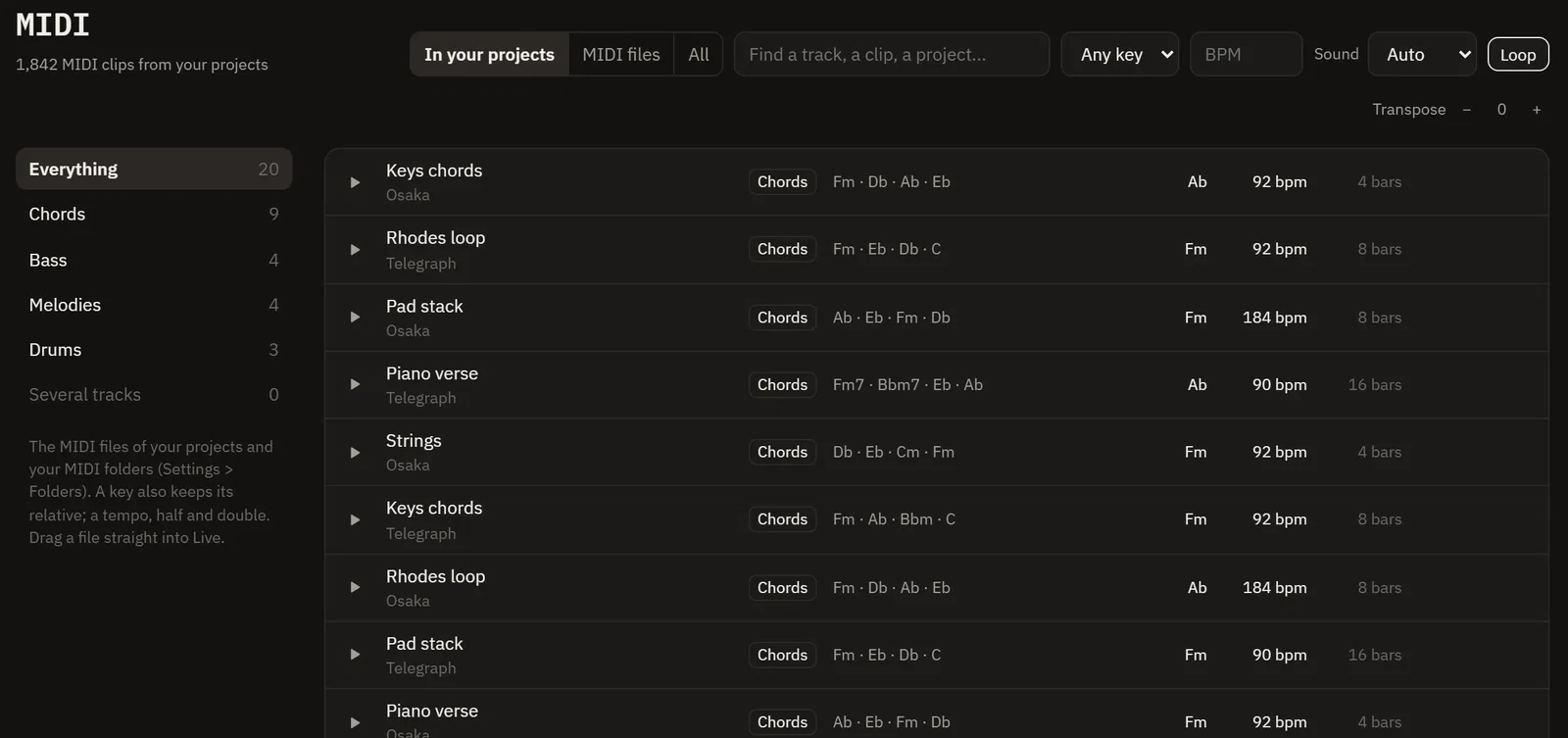
Every MIDI file, playable
Chords, basslines, melodies and beats played by a small synth, transposed or retimed, then dragged into Live as you heard them.
In detail
- Free and open source (GPL-3.0), in English and French. No account needed to download.
- When a project will not open (samples moved, a plugin renamed, a move to VST3), Spool shows why and repairs it on a copy next to the original.
- Nothing about your projects leaves your computer. The only request Spool makes checks for updates.
- Also: what changed between two versions of a project, mood boards, treatments on a copy, and new projects built from the devices you actually use.
Technical details
- Version
- 0.1.36
- Size
- 8.8 MB
- System
- Windows 10/11 (64-bit)
- Host
- Ableton Live
What's new in 0.1.36
- Dragging a song onto a release works again, as do dragging a card onto a stage, a track within a release and a tab.
- Home: no more floating panel. Right-click any section to rearrange Home (sections then drag and the others make room), remove it or add one right after it; "+ Add a section" shows when the pointer is on the page.
- A song played from a list (Songs, board, folders, Home, an artist) plays on through the list, with previous and next in the player bar.
- Song sheet: the Render / Project switch shows what is playing, and the render is the default.
- Arrangement: set the sound each track plays (click its colour dot). It is kept, marked, and can go back to the one from the project.
- A long arrangement shows about 40 bars and follows playback; the chart and the staff scroll with it too.
- The player bar shows the chord your MIDI keyboard plays, beside the song's.
- Key: a Pitch effect on a MIDI track is taken into account, and the song's own key settles a key the notes leave open (F minor or C minor).
- Unstick: with no render, a sample loop plays over the project.
- Samples: synths, stabs, riffs and breaks are now sorted by their names.
- Play buttons: the triangle is centred in its circle.
Good to know
Made by Fatstep.
Fatstep is a label and distributor for independent artists. When your songs are finished, we can help you release them.